Define a Dagster asset that invokes subprocess
This is part one of the Using Dagster Pipes tutorial. If you are looking for how to modify your existing code that is already being orchestrated by Dagster, you can jump to part 2, Modify external code.
In this part of the tutorial, you'll create a Dagster asset that, in its execution function, opens a Dagster pipes session and invokes a subprocess that executes some external code.
Step 1: Create a Dagster project
First we will create a new Dagster project:
uvx create-dagster@latest project external_pipeline
Step 2: Scaffold and define the asset
Next, we can scaffold the asset file:
dg scaffold defs dagster.assets dagster_code.py
Next, you’ll define the asset. Copy and paste the following into the file src/external_pipeline/defs/dagster_code.py:
import shutil

import dagster as dg


@dg.asset
def subprocess_asset(
    context: dg.AssetExecutionContext, pipes_subprocess_client: dg.PipesSubprocessClient
) -> dg.MaterializeResult:
    cmd = [shutil.which("python"), dg.file_relative_path(__file__, "external_code.py")]
    return pipes_subprocess_client.run(
        command=cmd, context=context
    ).get_materialize_result()
Step 3: Add external code file
Before we define our asset code, we will add a standalone Python script named external_code.py within the directory we just scaffolded (src/external_pipeline/defs/). Later, we will invoke a subprocess that executes this external code from the asset using the pipes_subprocess_client resource. The external code looks like the following:
def main():
    orders_df = pd.DataFrame({"order_id": [1, 2], "item_id": [432, 878]})
    total_orders = len(orders_df)
    print(f"processing total {total_orders} orders")
Here’s what we did in this code:
- Created an asset named
subprocess_asset - Provided
AssetExecutionContextas thecontextargument to the asset. This object provides system information such as resources, config, and logging. We’ll come back to this a bit later in this section. - Specified a resource for the asset to use,
PipesSubprocessClient. We’ll also come back to this in a little bit. - Declared a command list
cmdto run the external script. In the list:- First, found the path to the Python executable on the system using
shutil.which("python"). - Then, provided the file path to the file that we want to execute. In this case, it’s the
external_code.pyfile that you created earlier.
- First, found the path to the Python executable on the system using
Step 4: Invoke the external code from the asset
Next, invoke a subprocess that executes the external code from the asset using the pipes_subprocess_client resource:
import shutil

import dagster as dg


@dg.asset
def subprocess_asset(
    context: dg.AssetExecutionContext, pipes_subprocess_client: dg.PipesSubprocessClient
) -> dg.MaterializeResult:
    cmd = [shutil.which("python"), dg.file_relative_path(__file__, "external_code.py")]
    return pipes_subprocess_client.run(
        command=cmd, context=context
    ).get_materialize_result()
Let’s take a look at what this code does:
- The
PipesSubprocessClientresource used by the asset exposes arunmethod. - When the asset is executed, this method will synchronously execute the subprocess in in a pipes session, and it will return a
PipesClientCompletedInvocationobject. - This object contains a
get_materialize_resultmethod, which you can use to access theMaterializeResultevent reported by the subprocess. We'll talk about how to report events from the subprocess in the next section. - Lastly, return the result of the subprocess.
Step 5: Define a Definitions object
You can scaffold resources from the command line by running dg scaffold defs dagster.resources <path/to/resources_file.py>. For more information, see the dg CLI docs.
To make the subprocess resource loadable and accessible, such as the CLI, UI, and Dagster+, you’ll create a function with the @dg.Definitions.
Copy and paste the following to the bottom of src/external_pipeline/defs/resources.py:
import dagster as dg


@dg.definitions
def resources():
    return dg.Definitions(
        resources={"pipes_subprocess_client": dg.PipesSubprocessClient()}
    )
At this point, dagster_code.py should look like the following:
import shutil

import dagster as dg


@dg.asset
def subprocess_asset(
    context: dg.AssetExecutionContext, pipes_subprocess_client: dg.PipesSubprocessClient
) -> dg.MaterializeResult:
    cmd = [shutil.which("python"), dg.file_relative_path(__file__, "external_code.py")]
    return pipes_subprocess_client.run(
        command=cmd, context=context
    ).get_materialize_result()
Step 6: Run the subprocess from the Dagster UI
In this step, you’ll execute the subprocess asset you created in earlier steps from the Dagster UI.
-
In a new command line session, run the following to start the UI:
dg dev -
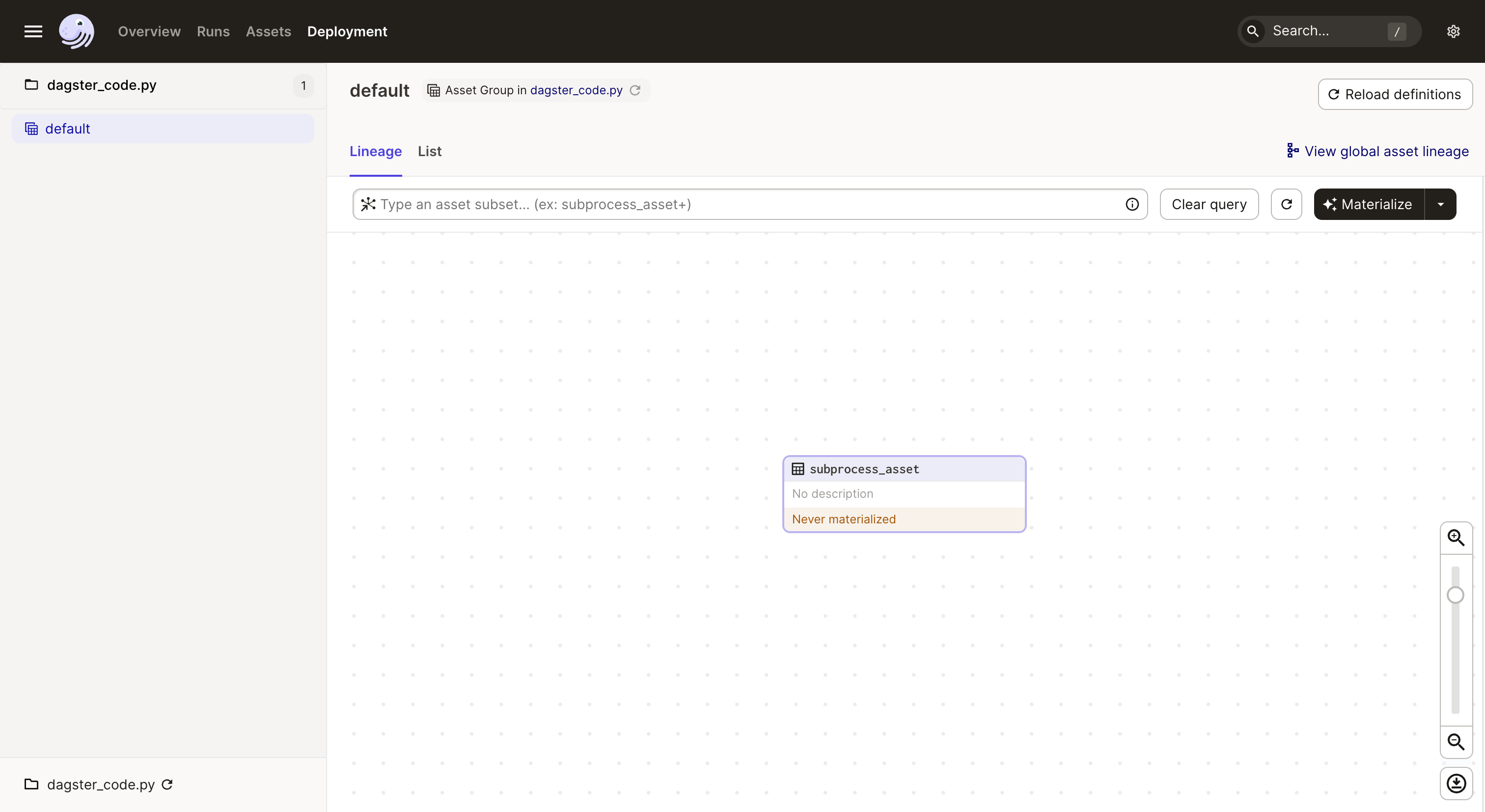
Navigate to http://localhost:3000, where you should see the UI:
-
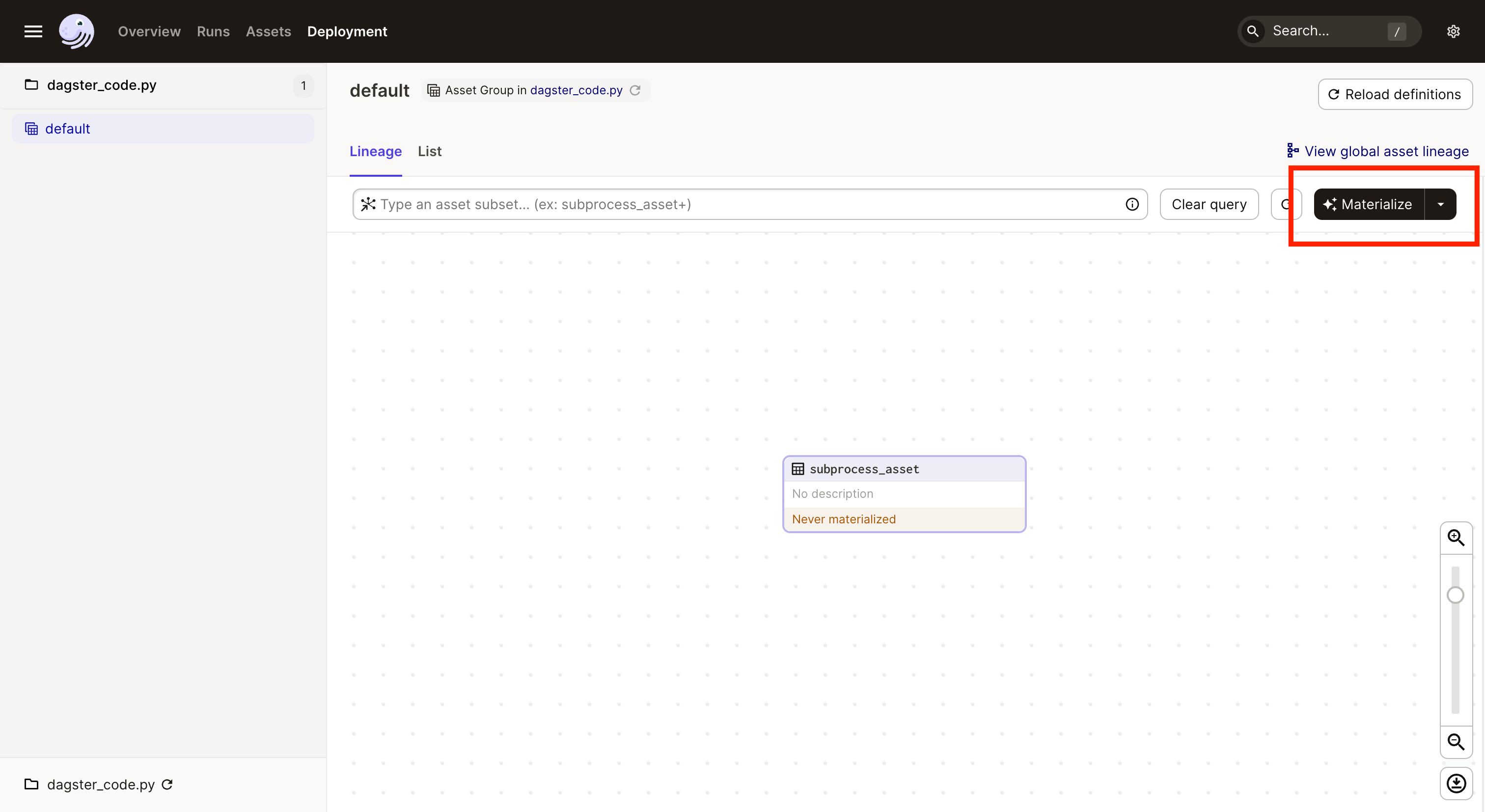
Click Materialize located in the top right to run your code:
-
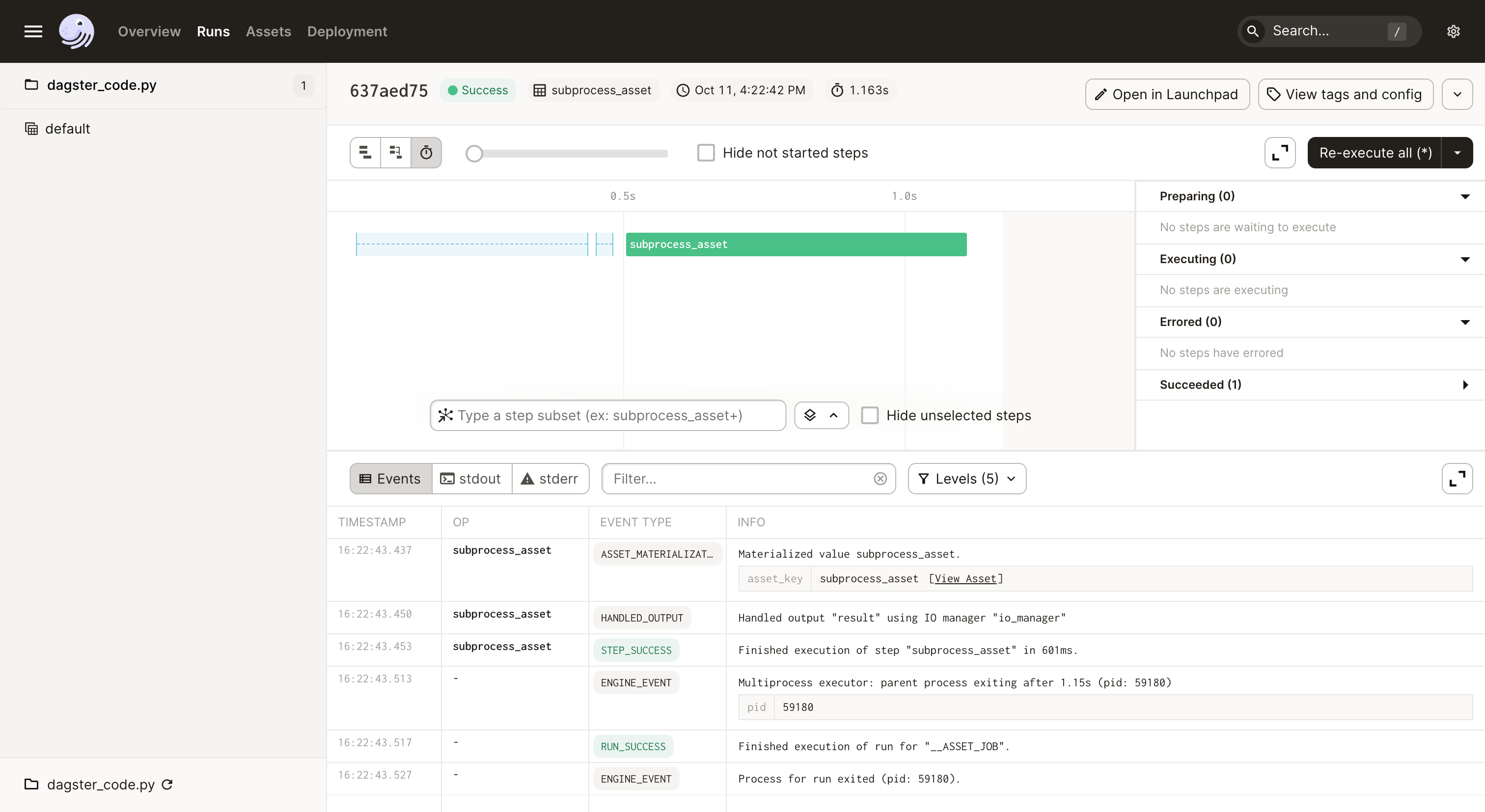
Navigate to the Run details page, where you should see the logs for the run:
-
In
external_code.py, we have aprintstatement that outputs tostdout. Dagster will display these in the UI's raw compute log view. To see thestdoutlog, toggle the log section to stdout: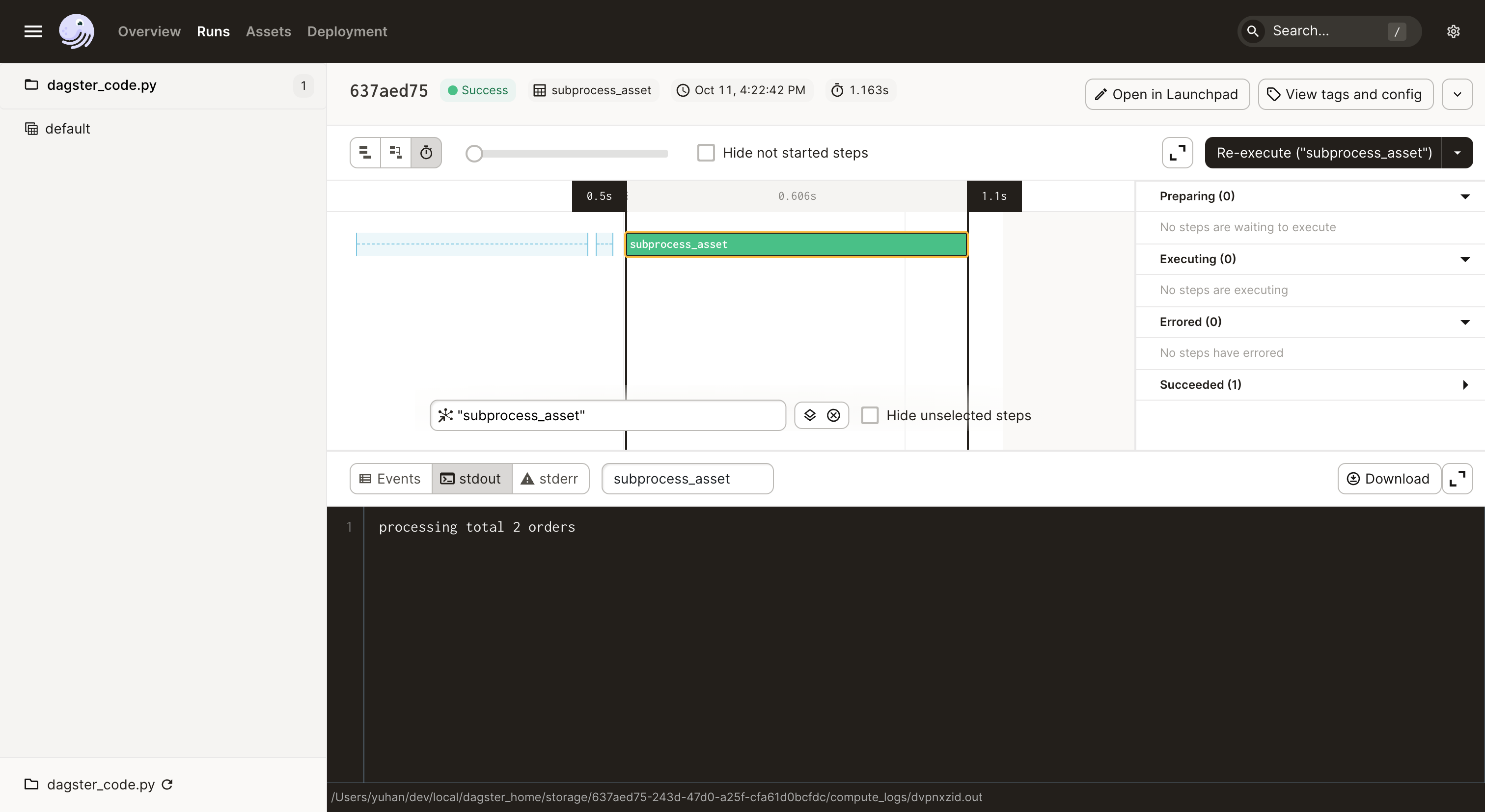
Next steps
At this point, you've created a Dagster asset that invokes an external Python script, launched the code in a subprocess, and viewed the result in Dagster UI. Next, you'll learn how to modify your external code to work with Dagster Pipes to send information back to Dagster.